
Part 1 – Ranting
One of the growing concerns in Zimbabwe’s digital ecosystem is the poor craftsmanship visible in many software and web products. This observation is not meant as an attack on developers. Zimbabwe, actually has talented, resourceful, and hardworking developers. The problem really is how systems are built and sustained. We have many digital products in our environment, but they are not designed to last. The reason why we always go back to pen and paper even on the pettiest processes such as managing queues or recording a transaction.
Evidence of the Poor Craftsmanship
I probably have attacked someone here. Their company, their work, their career. It would really be unfair to not explicitly specify what I refer to as poor craftsmanship. If you still do not resonate with me, let me give you familiar symptoms across both public and private sectors.
On websites, pages break on mobile screens. The fonts and spacing are inconsistent. Forms submit without proper validation. Error messages are vague and unhelpful. What do you mean “Something went wrong”? What should I do about that “something” that went wrong. Many sites load slowly. No one pays attention to the POTRAZ reports which touch on broadband quality. They contain broken links, and fail basic accessibility standards. My worst symptom is seeing a “Lorel ipsum delo” text on a company website.
On the software side, many systems resemble final-year projects deployed into production. Credentials are hardcoded. Security and standards are treated as optional extras rather than foundational requirements. There is no separation between development, testing, and production environments. Logging and monitoring are absent. Backups are manual or nonexistent. Database changes are performed directly on live systems.
What we are seeing is not engineering in the true sense. Much of it is survival coding. Most systems are developed to run today, with little thought for tomorrow. Systems are being built without safety nets. There is no testing discipline, little documentation, unclear ownership, and no shared standards. When things break, teams improvise. When developers leave, systems become untouchable. Over time, technical debt compounds until the system collapses under its own weight.
Testing is the Fault Line Between “It Works” and “It’s Engineered”
At the centre of this problem lies one neglected practice of testing. Testing is the fault line between software that merely works and software that is well-engineered. The absence of testing quietly explains most of the craftsmanship problems we see.
In mature software cultures, testing is not an afterthought added just before deployment. It is a core engineering activity. Testing is used as a design tool, a way to force clarity, a safety net for change, and a continuous measure of system health. It enables teams to improve systems confidently instead of fearing them.
Locally, however, testing is often misunderstood. It is reduced to clicking around before delivery, letting users “try it”, or fixing bugs only after complaints arise. This is not testing. It is risk transfer, where engineering responsibility is pushed onto users.
Who Should Read the Whole Article?
Testing is often framed as a purely technical concern, but this framing is misleading. This conversation should really be on a roundtable of developers and decision makers (including the non technical ones). Managers and decision makers approve timelines, allocate budgets, and shape delivery culture. When testing is deprioritised, it is rarely because developers do not care, it is because deadlines and constraints make testing feel optional or an unauthorised area.

In reality, testing decisions are actually design and management decisions not development decisions. Without managerial understanding and support, testing will always lose to short-term delivery pressure.
Enough ranting, let’s understand real testing.
Part 2 – Understanding the Concept of Testing in the Development Processes
At its core, testing is the systematic process of verifying that a system behaves as intended and remains trustworthy as it evolves. It asks uncomfortable but necessary questions: Does this behave correctly? What happens when it fails? Does it still work after change? Can someone else maintain it?
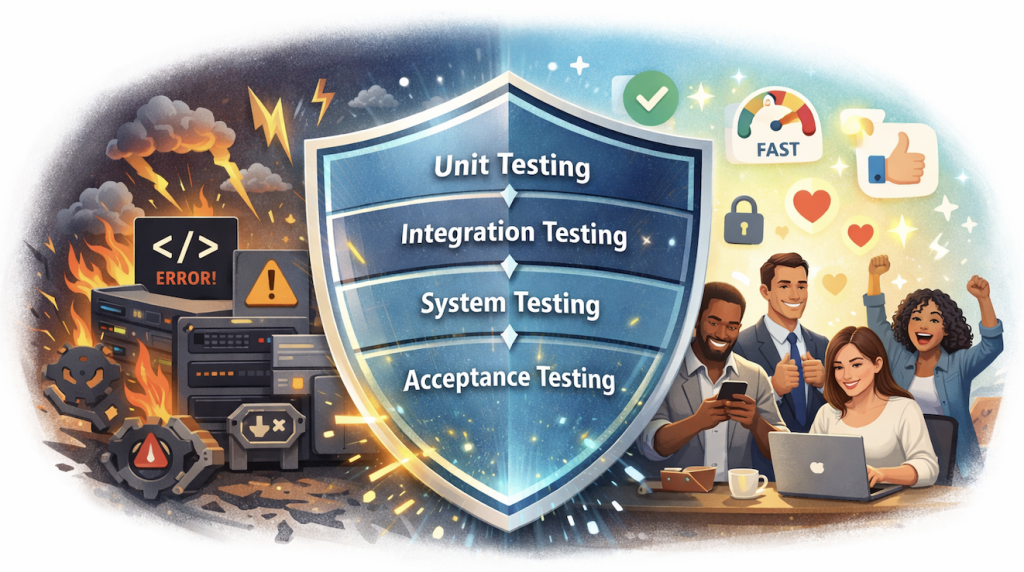
Understanding Testing Through Levels
Testing operates at 4 different levels, each addressing different risks. The levels in their order are unit testing, integration testing, system testing and acceptance testing. The table below explains each level, when to perform and why it’s important.
| Testing Level | What is It? | When to Perform? | Why It’s Important? |
|---|---|---|---|
| 1. Unit Testing | Testing of individual functions or components in isolation. | During development of individual components | Catch logic errors early; verify individual functions work as intended |
| 2. Integration Testing | Examines how components work together, revealing mismatches and data flow issues | After unit testing, when modules are combined | Ensure components work together; detect interface mismatches and data flow issues |
| 3. System Testing | Evaluates the complete, integrated system from end to end. | After all components are integrated | Validate end-to-end behavior; ensure the complete system works as a whole |
| 4. Acceptance Testing | Determines whether the system meets business and user expectations | Just before deployment, after system testing | Confirm system meets business requirements and user expectations |
Testing Approaches and What They Reveal
Testing can also be classified by how much knowledge the tester has of the system. There are 3 classifications of approaches that can then come up; white-box testing, black-box testing and grey-box testing. White, black and grey already clicks some sense into your brain.
- White-box testing assumes full knowledge of the internal code and logic.
- Black-box testing focuses purely on observable behaviour without regard for implementation.
- Grey-box testing sits in between, using partial knowledge such as architecture or data flow.
Again, all the 3 approaches are necessary. None replaces the others.
Types of Testing
We also have different types of testing. These types are concerned with verifying the engineering quality, correctness, and robustness of a system or product. This topic is a common source of confusion, as there is often a mix of engineering testing (software testing) with business testing (product testing).
Types of Software Testing
Here’s a clear definition of types of testing, broken down for clarity and relevance in software engineering.
- Functional Testing: Ensures that the software performs its intended functions according to specifications. Focuses on what the system does, not how it does it.
Example: Checking that a login form correctly authenticates users. - Regression Testing: Verifies that recent changes or fixes do not break existing functionality.
Example: After adding a new feature, testing old features like payment processing still work. - Performance Testing: Measures how the system performs under load or stress, including response time, scalability, and stability.
Example: Checking how many concurrent users a website can handle before slowing down. - Security Testing: Identifies vulnerabilities and ensures the system protects data and resists attacks.
Example: Testing for SQL injection, weak passwords, or unauthorized access. - Usability Testing: Evaluates how easy and intuitive the system is for end-users.
Example: Ensuring navigation is clear and forms are easy to fill on both mobile and desktop. - Compatibility Testing: Checks whether the system works across different environments, devices, browsers, or operating systems.
Example: Verifying a web app works on Chrome, Firefox, and mobile devices.
Types of Product Testing
These types focus on the value, adoption, or user experience of the product rather than code correctness.
- Concept Testing: Evaluates an idea or feature before development to see if it resonates with users.
Example: Surveying users about a new feature like “dark mode” before building it. - Market Testing: Launching a product or feature to a small segment of the market to gather feedback and assess adoption.
Example: Releasing a beta version to 100 users to measure engagement. - A/B Testing (Split Testing): Comparing two versions of a product or feature to determine which performs better.
Example: Testing two different landing page designs to see which drives more sign-ups.
The Testing Process: How Testing Is Actually Conducted
Testing is not magic. It is a disciplined, systematic process that ensures software works as intended and can be maintained safely. When done properly, testing protects both engineering integrity and user experience. The process generally follows five key stages.
Stage 1 – Define Test Objectives and Requirements
The first step is to clearly define what is being tested. This includes identifying the risks that matter most, the expected behaviour of the system, and what constitutes unacceptable failure. Without clarity at this stage, testing becomes random and ineffective. Defining objectives ensures that time and resources are focused on the areas that matter most, and it provides a clear baseline for success or failure.
Stage 2 – Test Planning and Strategy
Once objectives are clear, the next step is planning how the testing will be done. This involves deciding what will be tested, at which levels (unit, integration, system, or acceptance), who will perform the tests, and which tools or frameworks will be used. Planning is critical because it establishes a structured approach and ensures accountability. Management involvement here is important to allocate resources, define timelines, and support the enforcement of standards.
Stage 3 – Designing Test Cases and Test Scenarios
Designing tests is the step where clarity meets execution. It is important to distinguish between test cases and test scenarios.
- Test cases are specific: they define precise inputs, actions, and expected outcomes.
- Test scenarios are broader: they represent real-world user journeys or workflows that the system must handle.
Confusing the two can lead to shallow testing, leaving critical paths untested. Thoughtful design ensures that tests are meaningful, repeatable, and cover both functional and edge-case scenarios.
Stage 4 – Test Execution
With test cases and scenarios ready, the next stage is execution. Tests can be run manually or automated depending on the system and resources available. They should be executed consistently and under controlled conditions to ensure reliable results. This is the stage where assumptions about how the system behaves meet reality. Careful execution uncovers bugs early and provides evidence for improvements.
Stage 5 – Capturing and Documenting Tests
Finally, documenting the results of testing is essential. If a test is not recorded, it effectively does not exist. Documentation preserves knowledge, provides accountability, and allows others—developers, future testers, or managers—to understand what was tested, what failed, and what risks remain. Documentation can take the form of written reports, visual dashboards, or verbal communication, but the key is clarity and completeness.
Testing is a structured process that transforms assumptions into evidence. Skipping any stage—objectives, planning, design, execution, or documentation—weakens the safety net and increases the risk of fragile, low-quality software.
Documenting Test Results
Testing is only valuable if its results are captured and communicated clearly. Unrecorded tests or buried results are effectively invisible, and invisible testing does not improve software quality or influence decision-making.
Documenting test results serves multiple purposes: it preserves knowledge, provides accountability, and allows other team members to understand what was tested, what worked, and what risks remain. Documentation can take several forms:
- Written reports: These include defect logs, test coverage summaries, and assessments of remaining risks. They create a permanent record of what was discovered during testing.
- Visual representations: Charts, dashboards, and graphs can help stakeholders quickly grasp the system’s health, highlight trends, and prioritise fixes.
- Verbal communication: Sharing test results in stand-ups, review meetings, or demos ensures that the findings are understood and acted upon in a collaborative context.
Ultimately, for testing to have impact, it must be visible and actionable. Clear documentation ensures that testing outcomes inform decisions, guide improvements, and strengthen the overall quality of the product.
A Closing Thought
If we want better software, we must first build better foundations. Testing is one of those foundations. Ignore it, and craftsmanship will continue to suffer. Invest in it, and quality will begin to compound. The choice is not technical. It is cultural.
If you prefer to know more technical stuff on testing we recommend you take a look at
